Amazon Today's Deals


Breaking News

MAS Infotech

Tamil Blog - InfoMAS

Ads

Showing posts with label Facebook Tricks. Show all posts

Tuesday, 15 March 2016

5 Best Free Download Manager Applications for Android

Are you tired of the slow browser downloading and looking for a better way to download files on your Android device? Well, then download manager is the best solution for you.
Download manager is a program designed to ease the process of downloading files. It accelerates downloads by splitting files into multiple sections and downloading them simultaneously, and therefore speed up the download process. Additionally, it can also resume broken downloads so you don’t have to start downloading from the beginning. Although web browsers may have built-in download manager, but they do not speed things up the way download managers do.
There are numerous download manager apps available on Google play store that you can use to ease your downloading work. The following are some of the best free download manager apps for Android.
  1. Advanced Download Manager
    Advanced Download Manager is one of the powerful download manager app made for Android platform. This app lets you download files in three different parts and each part provides certain set download speed. You can easily choose the maximum download speed for each part.Furthermore, if the data connection is lost during download, the program will resume it automatically when the connection is back.
    ADM has a build in web browser with. If the download link isn’t a direct link, then this free app automatically opens its build in web browser to get the fresh link. It supports browsers like Stock Browser, Chorme, Dolphin, and Boat Browser.
    All files will be saved according to types in different folder. You can even select the download links and add them to the app to download it later at any point of time.
    Other Features of Advanced Download Manager:
    • Accelerate download speed by using multithreading.
    • Backup downloaded files on SD card.
    • Widget on your home screen.
    • Completion notification by sound and vibration.
  2. advanced download manager screenshots
  3.  Loader Droid Download Manager
    Loader Droid is another great download manager developed for Android. It supports any type of downloads, like apps, images, music, videos, etc.Like ADM, this app also divides the downloads into 3 different parts which accelerates the overall download speed. Also, all the downloads are resumable. You can easily resume the interrupted or paused download.
    The good thing about it is that it will pause automatically when connection lost and automatically starts the download when connection comes back.
    Other feature of Loader Droid Download Manager:
    • Recognize links in the browser automatically.
    • Schedule downloads.
    • Dark and Light theme for your preference.
  4. loader droid download manager screenshots
  5. Turbo Download Manager
    Turbo download manager is a fast Android download manager that can boost your download speed up to 5 times. The app uses multiple HTTP connections to accelerate download speed. To increase download speed you can increase maximum connections per download. Also, you can modify the buffer size from the settings menu of the app to optimize the download speed.Like other download manager apps, Turbo Download Manager also provides the ability to resume interrupted download.
    To use this app, you should long press the link in the browser and choose Share link -> Turbo download manager to start downloading files.
    Other features of Turbo Download manager:
    • Unlimited file size supported.
    • Background progress.
    • Sound notifications of download completion.
    • Download history.
    • Configure download directory settings.
  6. turbo download manager screenshots
  7. Download Manager for Android
    Download manager is another best download manager for Android that lets you manage all downloads from one location. It has a clean and simple user interface with a lot of features.Download manager for Android allows you to downloads files in parallel parts reusing connection to increase download speed. It also has resume capacities, and supports large file downloads of up to 2GB.
    Downloads can also be initiated right from the browsers or by entering the download URL into the app directly.
    Other features of Download Manager for Android:
    • Three times faster download speed.
    • Voice and speech quick search.
    • Download webpage history suggestion.
    • Support Google, Yahoo, YouTube, Twitter search.
    • Resume, cancel, and pause any download progress.
  8. download manager for android screenshots
  9. Easy Downloader Pro
    Easy Downloader Pro is the effective download manager app for Android device. If you have problem while downloading multiple files simultaneously from internet on your mobile phone than Easy Downloader Pro is the best choice for you. This app allows you to download up to 10 different files at the same time.It can not only enable you download large files in different formats easily, but also help you organize all the files in order. Any kind of file formats can be downloaded using this app.
    Like the TDM, you can download files directly from browsers through Share Link or by copying/pasting the link directly into the app. It supports Firefox, Boat Browser, Dolphin browser, etc.
    Other features of Easy Downloader Pro:
    • Multiple protocols supported so multiple files supported.
    • Download multiple files at the same time to speed up at least 50%.
    • Pause or resume downloads.
    • Be able to manage files in SD card.
    • Progress bar and notifications.
  10. easy downloader pro screenshots
So these are the top 5 free download manager for Android that you can download to speed up your download speeds. If you are using any other download manager apps, please feel free to share with us in the comments below.
Read more ...

Sunday, 12 April 2015

Please watch this video ! It is beautiful


Read more ...

Facebook messenger integrating with the WhatsApp


Everyone knows that Facebook owns Whatsapp and the company rolled out voice calling features to the app on Android recently.

However, it looks like things are changing rapidly as a new update reveals Facebook messenger integrating with the chat app.

Millions of users around the globe use Whatsapp and as a matter of fact, it has more subscribers than Facebook itself, which is why the company acquired it. After all, no one can predict when a social media website would fall, as years pass by. Ever since their acquisition, the company never had any idea to merge the two together. Besides, there was no need to do it until now. People who use the messenger in Facebook on Android and other operating systems often have a need, when they have to contact their friends or family.

Not everyone installs and keeps FB ready, which is when Whatsapp comes into picture. The most popular messaging app, which also has voice calling, makes it easier to stay in touch with others. Besides, users don’t have to switch between two apps to text and communicate with people in their contact list
Read more ...

Saturday, 21 March 2015

Facebook Employees can Access your Account without Password

You would be shocked to come across this fact that Facebook engineers can access your Facebook account without your knowledge and above all without entering any of the required details such as Username and Password or recovery e-mail, contact phone number details. Facebook has unveiled people across the globe with an recent.

Facebook Employees can Access your Account without Password

Facebook Engineer’s and Employees Sneaking in to Private Facebook Accounts

Recent details provided by the social network giant show who can access your Facebook account and when. There stringent actions and practices are being executed by the tech giant companies like Apple, Google and Yahoo making their services to be secured and protecting them from the hackers, law enforcement and spies agencies. Although, there is a vulnerability of personal data misuse and impersonation of your social life info which have been registered with these tech giants by some its employees.
Director of record label Anjunabeats, Paavo Siljamäki posted a captivating a brief study on his Facebook wall throwing a spotlight over this issue. Facebook post of Paavo Siljamäki states that Facebook engineers at Facebook office in LA logged into his Facebook account after his permission during his visit where he cam across a unusual incident which was Facebook engineers  logged into his Facebook account without asking him for the password of his account.

Facebook User is Screwed Without Notification After Stranger Accessing Users’s Account

It was a blew out of the water experience for Paavo Siljamäki, as after being logged by the Facebook engineer without facilitating the password, Facebook has failed to caution the user (Paavo Siljamäki) with any alert briefing his private Facebook profile being accessed by some strange person since the company does when any person try’s to log in to a persons Facebook account with out a proper password and username from a strange suspicious device of a different Geo-location.
Facebook Employees can Access your Account without Password
Stormed by this incident Paavo Siljamäki approached the Facebook in order to figure out who all does have the similar kind of master access to anyone’s Facebook account, who can access anyone’s Facebook account, when cam they do so and how to be aware of this kind of acts if any Facebook has logged in to anyone’s Facebook account.
Facebook has issued a statement when it was questioned by the Paavo Siljamäki  about how the employee/Facebook engineer got access to user’s Facebook account without entering the account credentials such as password and username:
We have rigorous administrative, physical, and technical controls in place to restrict employee access to user data. Our controls have been evaluated by independent third parties and confirmed multiple times by the Irish Data Protection Commissioner’s Office as part of their audit of our practices.”

Who Can Access Facebook Accounts?

Facebook failed to answer the directly to the questions which have been demanded like “who can access Facebook accounts of its users whose private data is registered with in it – which would arise in any Facebook users mind after coming across this king of circumstances. However Facebook assured that such incidents would take place such as a Facebook engineer accessing the private Facebook profile and would be able to do so only for a specific job function under tiered and limited conditions. Facebook stated that access  to its users accounts would be accorded to its engineers and employees to  reply to a customer request for information or error report.
Facebook explicated that “Designated employees may only access the amount of information that’s necessary to carry out their job responsibilities, such as responding to bug reports or account support inquiries, We have a zero tolerance approach to abuse, and improper behavior results in termination.”
Concisely, Facebook declared that it has a secured customer service tool which concedes admittance to the users Facebook profile to the Facebook engineer. It as later found that tech giant Facebook produces weekly reports on suspicious behavior by its two separately running monitoring systems to review and analyse the users data by two independent security teams. This whole process happens by the a selected group of employees.
Facebook ensures the safety its users personal data ensuring maximum security by  admonishing strongly to its recruited employees to use secured customer service tool with in their limitations and has expelled many of its employees who dared to violate their limitations by attempting to use this tool for their benefits. Thus take a long breathe and relax as there is no need to worry and feel insecure now, as Facebook chief Mark Zuckerberg or any of its employees wouldn’t access your account until and unless you ask them for any assistance granting permission to access your account. What could be expected more than this? Share your ideas, queries and comments in respect to this subject with us stating them below.
Read more ...

Wednesday, 4 March 2015

Nice Pick


Read more ...

Facebook Employees can Access your Account without Password

You would be shocked to come across this fact that Facebook engineers can access your Facebook account without your knowledge and above all without entering any of the required details such as Username and Password or recovery e-mail, contact phone number details. Facebook has unveiled people across the globe with an recent.

Facebook Employees can Access your Account without Password

Facebook Engineer’s and Employees Sneaking in to Private Facebook Accounts

Recent details provided by the social network giant show who can access your Facebook account and when. There stringent actions and practices are being executed by the tech giant companies like Apple, Google and Yahoo making their services to be secured and protecting them from the hackers, law enforcement and spies agencies. Although, there is a vulnerability of personal data misuse and impersonation of your social life info which have been registered with these tech giants by some its employees.
Director of record label Anjunabeats, Paavo Siljamäki posted a captivating a brief study on his Facebook wall throwing a spotlight over this issue. Facebook post of Paavo Siljamäki states that Facebook engineers at Facebook office in LA logged into his Facebook account after his permission during his visit where he cam across a unusual incident which was Facebook engineers  logged into his Facebook account without asking him for the password of his account.

Facebook User is Screwed Without Notification After Stranger Accessing Users’s Account

It was a blew out of the water experience for Paavo Siljamäki, as after being logged by the Facebook engineer without facilitating the password, Facebook has failed to caution the user (Paavo Siljamäki) with any alert briefing his private Facebook profile being accessed by some strange person since the company does when any person try’s to log in to a persons Facebook account with out a proper password and username from a strange suspicious device of a different Geo-location.
Facebook Employees can Access your Account without Password
Stormed by this incident Paavo Siljamäki approached the Facebook in order to figure out who all does have the similar kind of master access to anyone’s Facebook account, who can access anyone’s Facebook account, when cam they do so and how to be aware of this kind of acts if any Facebook has logged in to anyone’s Facebook account.
Facebook has issued a statement when it was questioned by the Paavo Siljamäki  about how the employee/Facebook engineer got access to user’s Facebook account without entering the account credentials such as password and username:
We have rigorous administrative, physical, and technical controls in place to restrict employee access to user data. Our controls have been evaluated by independent third parties and confirmed multiple times by the Irish Data Protection Commissioner’s Office as part of their audit of our practices.”
Who Can Access Facebook Accounts?
Facebook failed to answer the directly to the questions which have been demanded like “who can access Facebook accounts of its users whose private data is registered with in it – which would arise in any Facebook users mind after coming across this king of circumstances. However Facebook assured that such incidents would take place such as a Facebook engineer accessing the private Facebook profile and would be able to do so only for a specific job function under tiered and limited conditions. Facebook stated that access  to its users accounts would be accorded to its engineers and employees to  reply to a customer request for information or error report.
Facebook explicated that “Designated employees may only access the amount of information that’s necessary to carry out their job responsibilities, such as responding to bug reports or account support inquiries, We have a zero tolerance approach to abuse, and improper behavior results in termination.”
Concisely, Facebook declared that it has a secured customer service tool which concedes admittance to the users Facebook profile to the Facebook engineer. It as later found that tech giant Facebook produces weekly reports on suspicious behavior by its two separately running monitoring systems to review and analyse the users data by two independent security teams. This whole process happens by the a selected group of employees.
Facebook ensures the safety its users personal data ensuring maximum security by  admonishing strongly to its recruited employees to use secured customer service tool with in their limitations and has expelled many of its employees who dared to violate their limitations by attempting to use this tool for their benefits. Thus take a long breathe and relax as there is no need to worry and feel insecure now, as Facebook chief Mark Zuckerberg or any of its employees wouldn’t access your account until and unless you ask them for any assistance granting permission to access your account. What could be expected more than this? Share your ideas, queries and comments in respect to this subject with us stating them below.
Read more ...

Friday, 23 January 2015

How To Use Mobile Camera As A WebCam

Dear BestHacking readers today I am going to tell you How To Use Mobile Camera As A WebCam

Step1:-     Install Windows [EXE] (SmartCam.exe on your PC and Install)

Step2:-     Install Smartcam on your Mobile (Symbian S60 2nd Edition [SIS], S60 2nd Edition, JME [JAR], Windows Mobile [CAB], Android [APK]

Step3:-     Start up SmartCam on your PC and go to >>> File >>> Settings and check your connection and proceed >>> next step.

Step4:-     Start SmartCam on your phone and go to >>> Options >>> Connect and it will ask you for server name and you need to type your PC IP address or your system name

f YOU don't know your IP address then,


>>> go to RUN >>> type CMD >>> type ipconfig
 "OR"
>>> go to Google >>> type "my ip address"
Read more ...

Sunday, 11 January 2015

Microsoft builds New Browser

Microsoft builds new browser – Microsoft builds a new browser with Windows 10

We’ve already heard lots of stories about Windows 10. Yes, new update is Microsoft builds a new browser with Windows 10, but still we need to wait till January 2015 to get clear data.
According to ZDNet’s sources Microsoft is building a completely a new browser to replace the global but oft-maligned Internet Explorer. We knew that there’s been talk for a while that Microsoft was going to make some big changes to Internet Explorer in the Windows 10 time frame, making IE “Spartan” look and feel more like Chrome and Firefox browsers.

New Browser – Spartan

Now It just turns out that what’s actually happening is Microsoft is building a new browser, codenamed Spartan, which is not IE 12. Spartan is just a code-name at this point of time. But we are not sure what Microsoft plans to call this new browser the time of this browser’s debuts.
Microsoft builds new browser
This new Windows browser is being called “Spartan” and it seems completely new browser. Although just heard that Spartan is not based on Internet Explorer at all. But we need to wait to get an announcement from Microsoft.Preview builds of Windows 10 have included a desktop version of Internet Explorer, though granted an old version that was always bound to be replaced in future Windows 10 builds. Microsoft creating a new browser from scratch would explain why they haven’t fit a new version into any Windows 10 previews so far.
Though Spartan will reportedly use Microsoft’s Chakra JavaScript and Trident engines rather than the common WebKit, just like IE does, and Windows 10 may actually ship with both Spartan and the existing version of Internet Explorer 11 (or one slightly updated) for backward compatibility’s sake.
Microsoft builds new browser
As said earlier, “Spartan” for now is just a codename, but we may find out exactly and wait for some time that what the new Windows browser will be called at Microsoft’s impending January event.
Thanks
Read more ...

Saturday, 10 January 2015

How to backup Facebook data – Simple Ways to backup Facebook data

Let’s say you do not have your Facebook backup data, if your Facebook account is hacked, deleted or disabled. Just imagine the impact, you could potentially lose lots of stuff which very important to you. This article shows how to backup Facebook data.

I would agree, you may have some of it backed up, such as your pictures, but there are lots of historical posts / chats that you might want to keep for posterity. It is good to have a backup of your Facebook data for legal reasons, in case you are ever involved in a dispute where someone posted something offensive on your wall and then deleted it. If you made a backup before they removed the post to cover their tracks, then they will only have the ability to delete what is on the live site, and not what you have backed up.

Backup Facebook Data

Facebook backup includes

• Your profile info.
• Wall posts and content that you and your friends have posted to your profile.
• Photos and videos that you have uploaded into your account.
• Your friend list details.
• Notes you have created.
• Events.
• Your sent and received messages.
• Any comments that you and your friends have made on your Wall posts, photos, and other profile content.

How to backup Facebook data?

Here is a quick and easy procedure to backup all the Facebook items mentioned above:
1. Login to your Facebook account.
2. Click the “Account” drop-down menu located in the top-right corner of your Facebook page.
3. Click on “Account Settings”.
Backup Facebook Data
4. From the “Settings” tab, Look for the line that says   “Download a Copy of your Facebook data” and click the link.
Backup Facebook Data

5. Look for the line that says “Download Your Information” and click “Start My Archive”. It will ask you to re-enter you Facebook password to proceed.
Backup Facebook Data
6. Click the “Download” button on the page that follows.
After you click “Download”, you will receive a Facebook pop-up message stating that they are “gathering” all your information into a ZIP formatted file for you to download. The message says it may take a while and that they will send you an e-mail when the file is ready to be downloaded.

You can now download copies of posts, videos and chat conversations to your PC. If you want to close your FB account, you can easily retain that data and also should your account ever be compromised, you have it all.Let’s say you do not have your Facebook backup data, if your Facebook account is hacked, deleted or disabled. Just imagine the impact, you could potentially lose lots of stuff which very important to you. This article shows how to backup Facebook data.


I would agree, you may have some of it backed up, such as your pictures, but there are lots of historical posts / chats that you might want to keep for posterity. It is good to have a backup of your Facebook data for legal reasons, in case you are ever involved in a dispute where someone posted something offensive on your wall and then deleted it. If you made a backup before they removed the post to cover their tracks, then they will only have the ability to delete what is on the live site, and not what you have backed up.
Backup Facebook Data

Facebook backup includes

• Your profile info.
• Wall posts and content that you and your friends have posted to your profile.
• Photos and videos that you have uploaded into your account.
• Your friend list details.
• Notes you have created.
• Events.
• Your sent and received messages.
• Any comments that you and your friends have made on your Wall posts, photos, and other profile content.

How to backup Facebook data?

Here is a quick and easy procedure to backup all the Facebook items mentioned above:
1. Login to your Facebook account.
2. Click the “Account” drop-down menu located in the top-right corner of your Facebook page.
3. Click on “Account Settings”.
Backup Facebook Data
4. From the “Settings” tab, Look for the line that says   “Download a Copy of your Facebook data” and click the link.
Backup Facebook Data

5. Look for the line that says “Download Your Information” and click “Start My Archive”. It will ask you to re-enter you Facebook password to proceed.
Backup Facebook Data
6. Click the “Download” button on the page that follows.
After you click “Download”, you will receive a Facebook pop-up message stating that they are “gathering” all your information into a ZIP formatted file for you to download. The message says it may take a while and that they will send you an e-mail when the file is ready to be downloaded.

You can now download copies of posts, videos and chat conversations to your PC. If you want to close your FB account, you can easily retain that data and also should your account ever be compromised, you have it all.

Thank to Saravana kumar
Read more ...

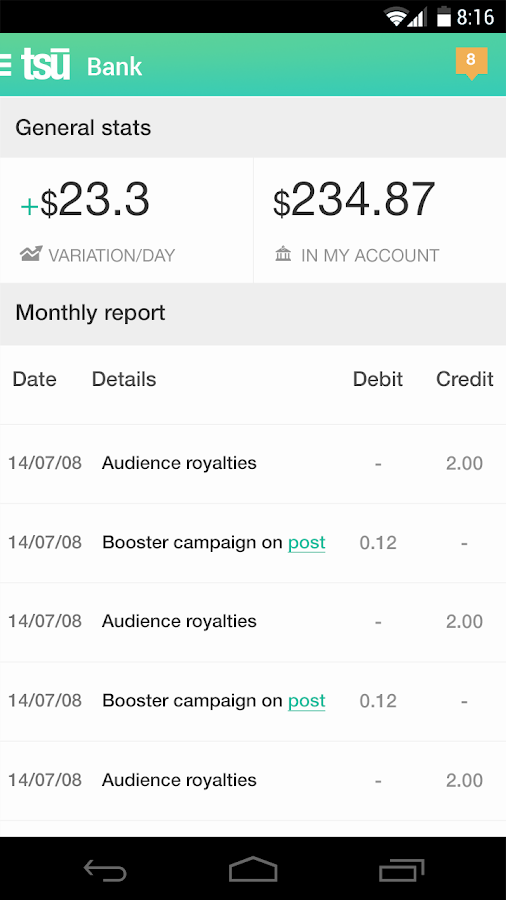
NEW SOCIAL NETWORK TSU & EARN MONEY JOIN TO USE

https://lh3.ggpht.com/qpR_iF8zfRl2ilSe1LR-K7LhsBbQgzb6ytoCeG4RzsISaTmj_vrVE6eddZFTMKW5nfo=h900

If you want to register, you can use my shortcode The Link

After you register and visit your profile page, you’ll realize that Tsu broadly resembles Facebook, except that it has a green theme rather than Facebook’s blue. It has all the basic features that a social network should have, plus some extra ones.

For example, you can officially connect your Tsu account with your Facebook and Twitter accounts, so that you can use Tsu to post directly on these social networks – a feature that’ll help people spend more time on Tsu while staying connected to their existing social network accounts.
Tsu also allows you to send money to other users or merchants, although it charges a 3 percent fee for the service.

If you want to register, you can use my shortcode The Link


Read more ...

Sunday, 21 December 2014

9 Best Free Recharge apps to get Free Talktime/Recharges on your Mobile (Android/PC)


App No 1 : mCent

mCent may be a newer entry for Indian users in this Free Recharge Category, but its present in the Global market from a long time, and i have earned quite a hefty amount from it :) .
Method : mCent pays you Rs.10 as sign-up bonus, Plus Mcent also pays you Rs.50! for each friend you refer :). There is minimum Amount for Redemption. and you can redeem your earnings even if though they are as Less as Rs.10 :)

mCent also pays you for installing apps, Completing Offers and Surveys and its a good amount :) On an average Rs.15 are credited to you,just for installing a Single app.! Talk more about awesomeness!

Click here to register on mCent or alternatively you can download the mCent app from the Google Play Store by clicking here 

...............................................................................................

App No 2 : POKKT (Pocket Money App)

POKKT is another great app, which helps you  to earn free recharges, though the download of Other apps, its simple User interface makes it extremely easier to use.

Method : You can use friend referral link to invite friends to POKKT , you get Rs.5 for each friend referred to POKKT , in addition to the Money you get after you download the apps through POKKT.

Click here to get the POKKT/(Pocket Money) App

................................................................................................

App No 3 : FreePlus App

FreePlus app is an exciting new app launched with the same architecture to get Free Recharges and Gift Cards. Amount is credited each time you complete the offers by either downloading the apps through it or by viewing the ads.

Method : Install the FreePlus app,Register using your E-Mail ID, and start completing free offers such as Downloading Apps to get Free Recharge amount credited in your wallet. Each App downloaded through FreePlus can earn you upto Rs.20 (max), Also you can earn more by referring your friends to FreePlus. FreePlus provides you Rs.7 per successfull Friend Referral :) (You can enter my referral id – i110248 for getting extra Rs.1)


Click here to Download FreePlus App

..............................................................................................

App No 4 : Amulyam

Amulyam was the first company in India to sponsor free recharges through Ad-viewing . Naturally it wasn’t going to lag behind in the app-for-recharge race :)

Method : Amulyam offers money for installing apps upto the limit of Rs.40, frankly speaking the payout is never so high and infact Amulyam has comparatively lower payouts as compared to other apps :( . But its the Reliability where it marks ahead. Besides installing Apps and Viewing ads, you can also use the Invite Option to invite your friends.

Amulyam pays Rs.5 on per successful friend Invite :)

Click here to get Amulyam App!

..............................................................................................
App No 5 : Ladooo
Ladoo is yet another awesome app to get free Recharges on your Mobile, and the earning methods are similar to the one’s discussed earlier

Method : Just install ladooo on your device and start earning! No need to even register .! Upto Rs.12 are paid per app installation and it also gives Rs.10 for each friend referral!  Overall,another good and easy app to have when want to get recharges as well as have timepass :)

Click here to download Ladooo! 

....................................................................................................

App No 6 : Earn Talktime app

Earn Talktime is yet another simple app which lets you earn money/credits by doing actions. Actions may be downloading an app or simply a friend referral.

You can earn upto Rs.20 per successful download and installation of App through Earn Talktime app, Plus you also get additional Rs.7 for each successful Friend Referral!

Click here to Download Earn Talktime App

...................................................................................................


App No 7 : Mojo! – The app

Mojo is the newest entry in this list and perhaps,is my favourite! . Mojo has the largest number of offers among all the Free Recharge apps! , though Mojo doesn’t directly provide Recharge, it provides Mojo coins! Mojo coins can be later redeemed for –

  •     PayTM Recharge coupons.
  •     Flipkart Gift Cards.
  •     Book My Show Vouchers.
  •     Amazon Cash cards!

The rate of exhange is around 166 Mojo = 10 Rupees :D , which is pretty fair and good! :)  , Also you can earn more coins by sharing the app to your friends too! which gives you 50 Mojos for each friend referred :) . Mojo has the highest number of offers of all the apps i have ever seen!

Click here to Download Mojo!

..........................................................................................................

App No 8 : CashPandit app

Cash Pandit is yet another free recharge app which provides recharge for downloading apps and completing offers . The striking thing about CashPandit is that it has some unique offers which aren’t present in other apps thus enabling you to earn some extra additional free recharge :).

What’s more ? Cash Pandit also provides Rs.5 per Referral for each friend who install the CashPandit app through your referral link :)

Click here to download Cash Pandit app from Play Store.


..............................................................................................
App No 9 : ZipTT

ZipTT is a newer Entry in this Recharge Market but its Reliable :)  and it provides recharges for installing apps, Watching Videos, Completing Offers as well as referrals .

Method : ZipTT too works on the familiar Download apps to get Recharge,but it also has payment options for getting paid for visiting websites , filling forms there are payment options for watching Ads, Watching Videos and even for completing your profile!.  and once you install any application through it, Open the installed application for about 30Seconds and then leave it. Your cash on Apps credits will be credited to your account which can be redeemed for Mobile Recharges! . The ZipTT also has a referral Option It gives Rs.1 per referral .
Click here to go to Play store for ZipTT.

..............................................................................................
Read more ...

Friday, 5 December 2014

Facebook Messenger App gets Free Voice Call Feature in India

Facebook has launched the voice calling feature for its Messenger app for Android and iOS back in March 2013. And the feature was available only for selective countries including US and Canada and etc. Now Facebook Messenger app updated with free voice calls support in India and you can call your friends and relatives easily with this app.


There are many free calling apps available but Facebook has a wide network of our friends and relatives connectivity, so you can find friends easily and call them with a click. The free voice calling feature will use your internet data plan and it doesn’t use your phone talk time. To use this feature, you need a 3G connectionor Wi-Fi connection to get clear voice without problems.

Also Read: infomaszz.blogspot.in

How to use Free Call Feature in Facebook Messenger? 

  • Simply login with your account in Facebook Messenger app for Andorid or iOS 
  • Check your friends list to see who are currently online. Click the particular user that you want to call and go to chat screen. 
  • Press the options menu and you will see the Free Call feature 
  • You can call friends from chat heads and you can use speaker too. 
You can use this feature only those who are using same Facebook messenger app and the option disabled when your friends are using Facebook for Web. If that “Free Call” option is in grey color, you cannot call to that person. After the ending of the call, Facebook will ask to rate the quality of the call to improve its performance.

Facebook Messenger’s free call feature is similar to Viber free calls. Facebook will be gradually rolling out this feature globally soon. The feature is not available in Facebook Messenger for Windows Phones that was launched recently.

Read more ...

Tuesday, 25 November 2014

Hack Your Facebook Friends? More Like Hack Yourself.

What if you could hack your friend’s Facebook account simply by copying and pasting a piece of code into your web-browser’s console?


A recent Facebook scam promises just that.

Hack Any Friend’s Facebook Scam


False promises on Facebook: it’s a recurring theme adopted by spammers. This time, it’s a Facebook post that begins as follows:


    UPDATE LINK FOR FACEBOOK HACKING
    F.A.C.B.O.O.K —-H.A.C.K.I.N.G(ONLY FOR EDUCATION PURPOSES) 

The content of the post includes a link to a Google document and written instructions on how to hack your friend’s Facebook account, as well as an instructional video. The instructions tell you to go to the Google document, copy its contents, paste those contents into your web browser’s console (found by hitting F12), hit enter, and wait 2 hours for the hack to kick in.

Users who follow these instructions will in reality hack their OWN account.

Self Cross-Site Scripting Hack


Rather than a magical code to hack your friend’s Facebook account, the contents of the Google Doc are actually a malicious JavaScript code that hijacks your account for spamming. While you sit and wait the prescribed 2 hours for the hack to kick in, your Facebook account is used to generate Likes on pages owned by the attackers. Furthermore, the code tells your account to tag all of your friends in its original post so that they can be lured to it too.

The copy-paste technique used in this scam is called Self Cross-Site Scripting, or Self XSS. Self XSS is about as simple as it gets: Attackers generate malicious code and then try to convince their victims to paste that code into their web console and execute it. This type of attack hinges on social engineering – like dangling the promise of being able to hack any friend’s account – and it has actually been around for quite some time. Reports indicate that this latest campaign has been active since early 2014 and that it has already generated as many as 100,000 fraudulent Likes.

Such success has indeed been noticed by Facebook and prompted the social media giant to issue a warning regarding this type of attack, which includes the option to enable or disable the web console while on Facebook: https://www.facebook.com/.

The warning jests at enabling the web console by stating “Allow my account to be hijacked if I paste malicious JavaScript” next to the setting’s check box. More importantly, the warning also points out that a Self XSS can be used to do much worse than generate Like spam. Beyond Facebook accounts, Self XSS hacks are used to execute a wide variety of malware, to commit all types of cybercrime.


Protect Yourself (from Yourself) with Surf Protection Technology


If you think you have fallen victim to the Hack Your Friend’s Facebook scam, you should review your Facebook activity log to see if your account has been used to generate fraudulent Likes: https://www.facebook.com/help/www/289066827791446. If it has, you can always Unlike them.
It’s also good practice to exercise caution when encountering any Internet offer dangling a virtual carrot just out of reach. Scams like these happen almost every single day, and are most often initiated through large social media networks where they can achieve the most exposure.

If you’d rather not have to worry about things every time you log on to your favorite social site to view pictures of your family and friends, we’d also suggest utilizing Emsisoft Anti-Malware’s Surf Protection Technology. It’s designed to prevent you from visiting malicious websites that contain copy-paste code used in Self XSS attacks. That way, you can protect yourself from yourself (and from malware too).

Keep Visiting 
Read more ...

Thursday, 13 November 2014

Facebook Keyboard Shortcut Keys

Facebook is the most using social networking site by worldwide users. If you are a Facebook user, keyboard shortcuts may help you to use Facebook quickly. And these Keyboard shortcut keys for Facebook saves your time and work without mouse.


Facebook Keyboard Shortcuts (Windows OS)


Function
Chrome/Opera/Safari
Firefox
IE
Search
Alt+?
Alt+Shift+?
Alt+?+Enter
New Message
Alt+M
Alt+Shift+M
Not Working
Go to Home
Alt+1
Alt+Shift+1
Alt+1+Enter
Go to Profile
Alt+2
Alt+Shift+2
Alt+2+Enter
Friend Requests
Alt+3
Alt+Shift+3
Alt+3+Enter
Open Messages
Alt+4
Alt+Shift+4
Alt+4+Enter
Notifications
Alt+5
Alt+Shift+5
Alt+5+Enter
My Account Page
Alt+6
Alt+Shift+6
Not Working
Privacy Settings
Alt+7
Alt+Shift+7
Not Working
Facebook page
Alt+8
Alt+Shift+8
Alt+8+Enter
Terms & Conditions
Alt+9
Alt+Shift+9
Alt+9+Enter
Facebook Help
Alt+0
Alt+Shift+0
Alt+0+Enter

Facebook Keyboard Shortcuts (Mac OS)


Function
Firefox
Other Browsers
Search
Function+Ctrl+?
Ctrl+Option+?
New Message
Function+Ctrl+M
Ctrl+Option+M
Go to Home
Function+Ctrl+1
Ctrl+Option+1
Go to Profile
Function+Ctrl+2
Ctrl+Option+2
Friend Requests
Function+Ctrl+3
Ctrl+Option+3
Open Messages
Function+Ctrl+4
Ctrl+Option+4
Notifications
Function+Ctrl+5
Ctrl+Option+5
My Account Page
Function+Ctrl+6
Ctrl+Option+6
Privacy Settings
Function+Ctrl+7
Ctrl+Option+7
Facebook page
Function+Ctrl+8
Ctrl+Option+8
Terms & Conditions
Function+Ctrl+9
Ctrl+Option+9
Facebook Help
Function+Ctrl+0
Ctrl+Option+0
 
Kindly Share This Post »»
Read more ...
Designed By Blogger Templates